Boatsmith AI
Designing an attention-first maintenance experience

Boatsmith helps boat owners organize the information required to understand and maintain a complex vessel. The product brings manuals, equipment details, service records, maintenance schedules, parts, and other operational information into one place.
The early product contained useful information, but the experience gave nearly everything similar weight. My role was to define a clearer journey through that information and design an interface that helped an owner understand what required attention, move into a specific boat system, and complete a task with its source material close at hand.
Product strategy
Information architecture
UX and UI design
Early component-system direction
New brand UI
Scope
Two distinct uses of AI
Boatsmith had used AI to help create the original product. That gave the team a fast way to explore the product and connect a large amount of boat data, but the resulting experience had not been organized around a clear user journey.
AI was also part of the Boatsmith product itself. The product could ingest uploaded boat manuals and use their contents to suggest maintenance-plan tasks. Those suggestions still required review by someone who understood the boat, its systems, and the correct maintenance intervals.
My work did not involve designing the underlying AI or document-ingestion technology. I focused on the experience around its output: how owners find the right work, understand where it came from, judge whether it is trustworthy, and act on it.
The Real Problem
Boatsmith had become a collection of useful capabilities without a strong hierarchy connecting them.
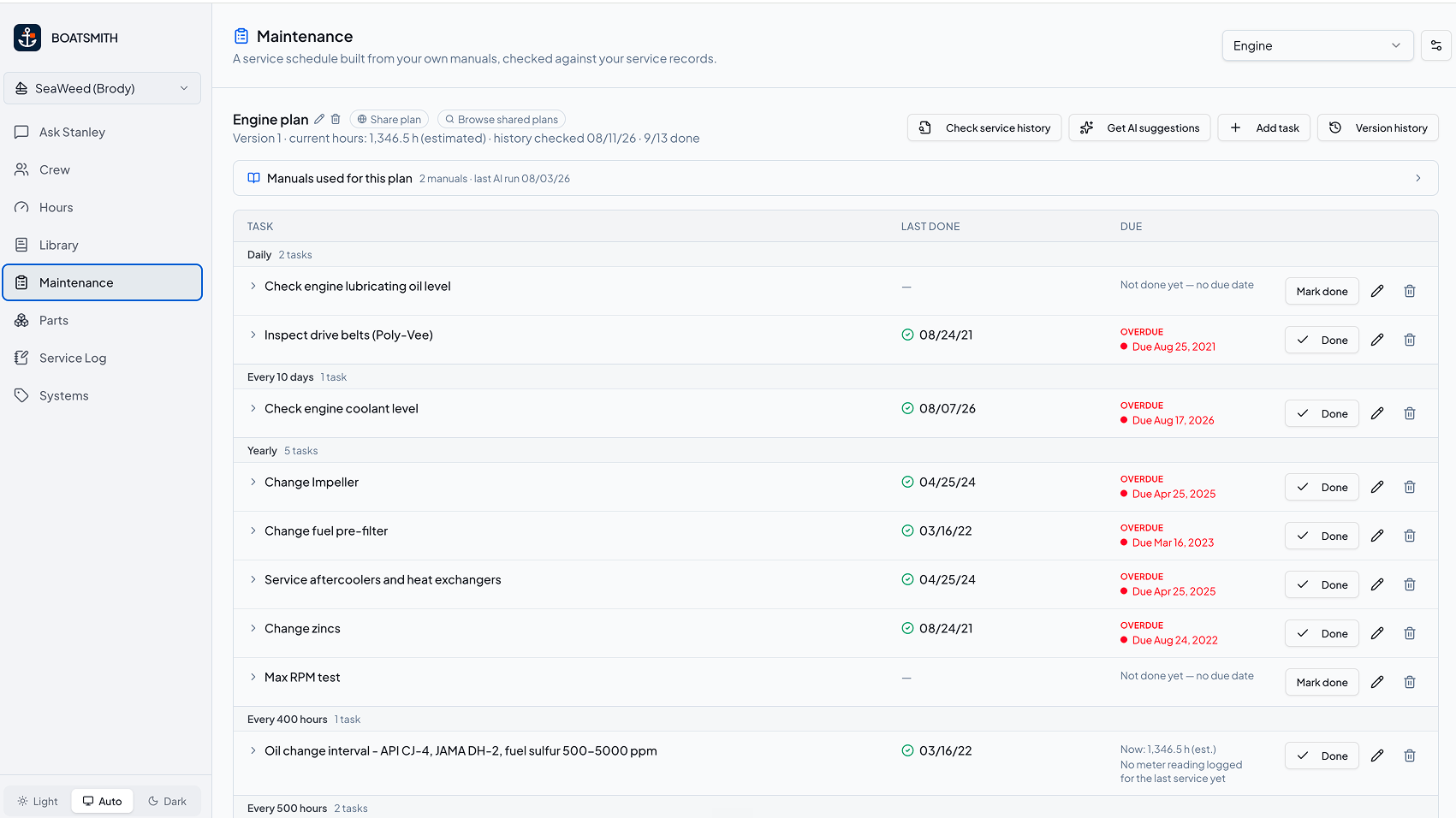
In Maintenance, owners could select a boat system and view a large schedule of tasks. Each row exposed dates, intervals, status information, actions, and expandable details. A separate document library held the manuals behind those tasks.
The information was available, but the interface did not answer the first question an owner was likely to have:
What needs my attention now?
The broader navigation had the same issue. Surveys, manuals, service invoices, equipment, maintenance, oil analysis, parts, vendors, and other capabilities were accumulating as separate destinations. The product team recognized that the product could eventually end up with dozens of top-level items if those relationships were not reconsidered.
I treated the maintenance redesign as an information-architecture and workflow problem first. The interface needed to help an owner move through three levels of detail:
Understand the maintenance state of the boat.
Focus on an individual system such as the engine or drive.
Open a task with the instructions, status, history, and source evidence needed to act.
What Mattered Most
Starting with the users attention
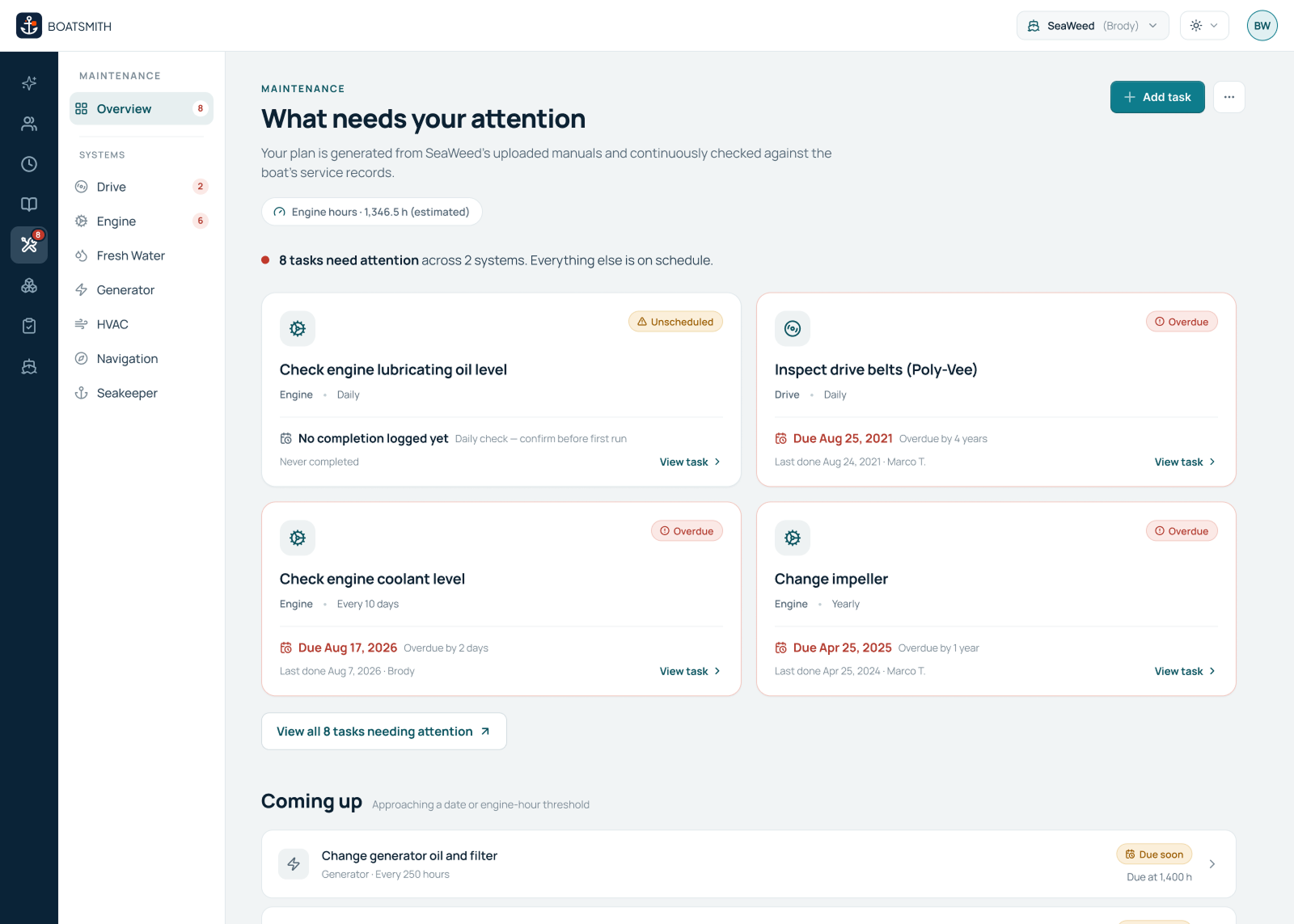
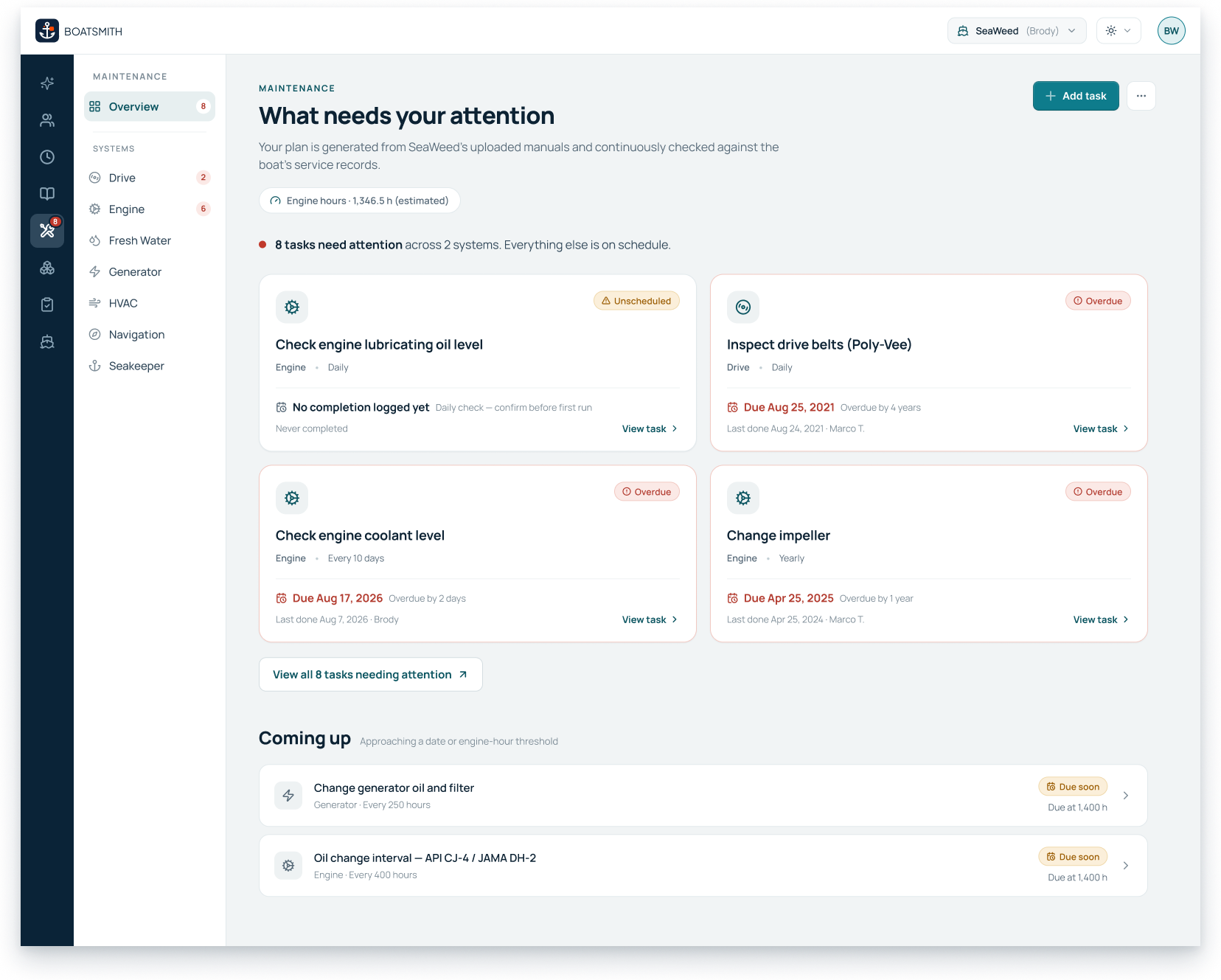
The existing maintenance page led with the full schedule. I changed the entry point to an overview organized around attention.
The new overview surfaces a limited set of priority tasks across the boat, with clear distinctions between overdue, unscheduled, and upcoming work. Each task communicates the system it belongs to, its maintenance interval, when it was last completed, who completed it, and what is expected next.
Lower-priority work remains available without competing with immediate concerns. An owner can expand the complete list when needed, while a separate “Coming up” section makes approaching date or engine-hour thresholds visible before they become overdue.
This created a more deliberate starting point. Owners could assess the state of the boat before deciding where to go next.
Key Decisions
Separating global and contextual navigation
The original product relied heavily on top-level navigation and a dropdown for moving between boat systems.
I separated global product navigation from navigation inside Maintenance. A compact global rail preserves access to major areas of Boatsmith. Once an owner enters Maintenance, a secondary navigation layer exposes the overview and individual systems such as Drive, Engine, Fresh Water, Generator, HVAC, Navigation, and Seakeeper.
This gave the maintenance experience its own structure without turning every system into another global product destination.
It also created a consistent progression:
Maintenance overview > individual system > maintenance task
That progression became the backbone of the redesign.
Making the system plan easier to understand
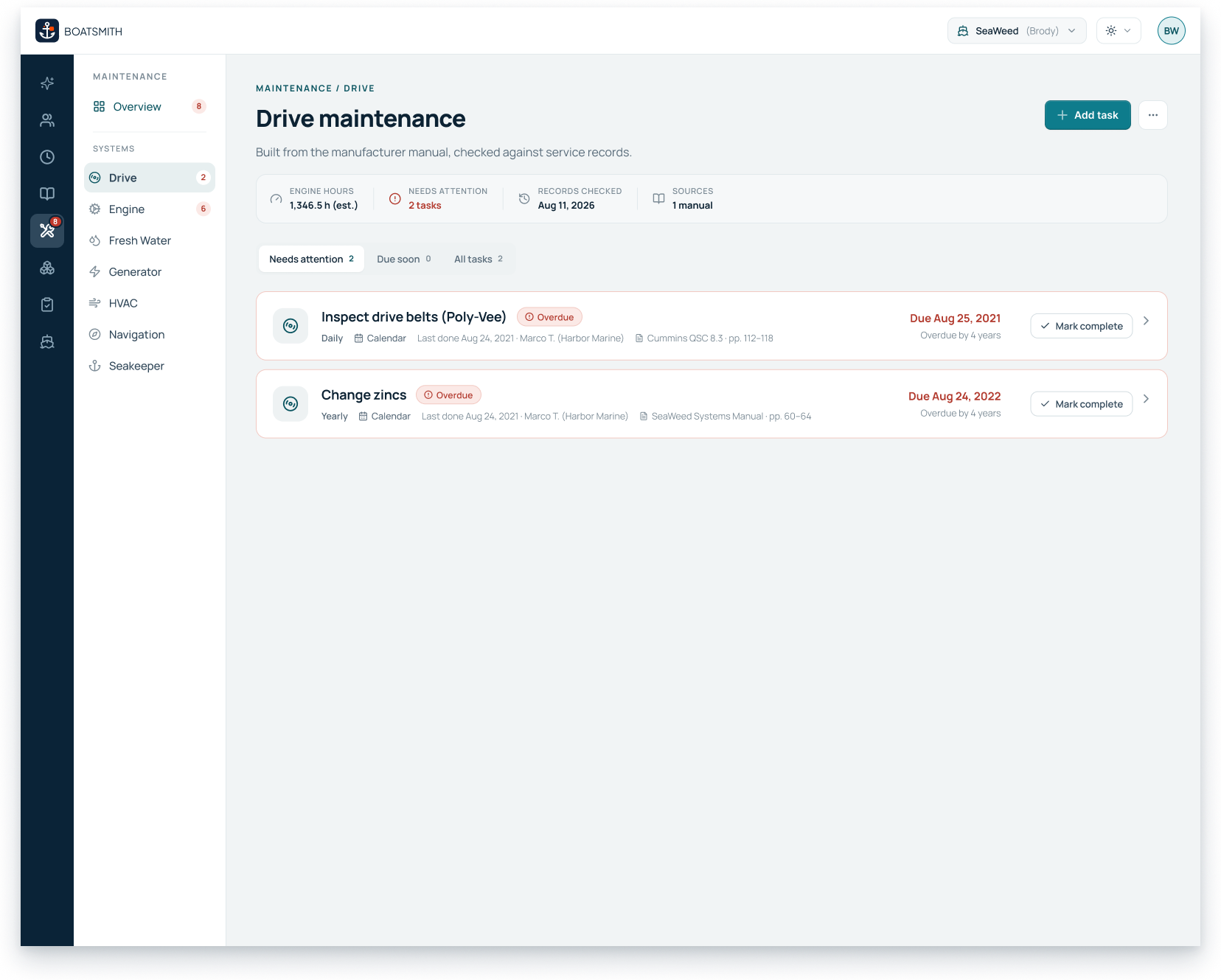
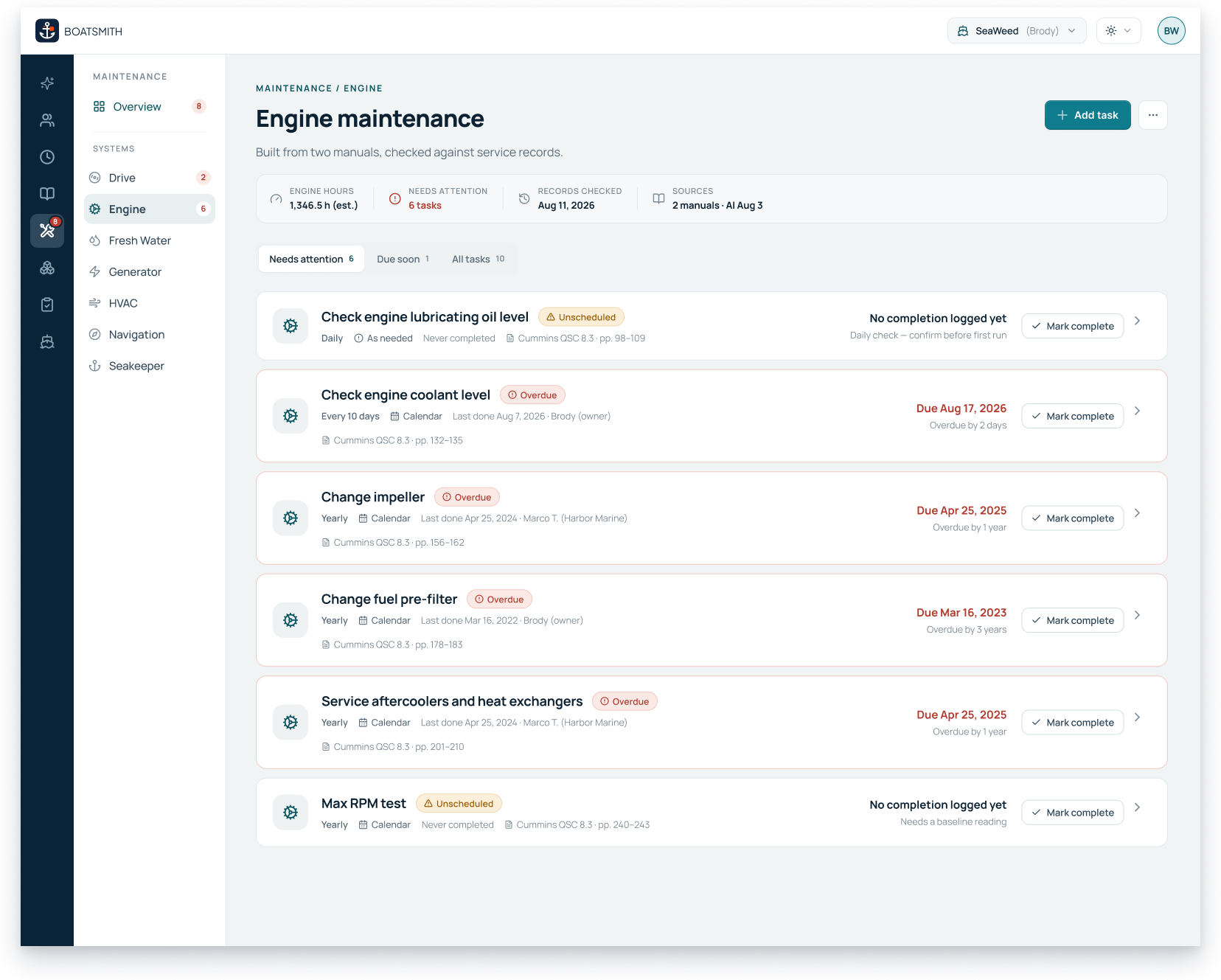
At the system level, I reorganized the maintenance plan into scannable task rows.
The page begins with context about the system: estimated engine hours, the number of tasks requiring attention, when records were last checked, and which manuals informed the plan. Owners can filter between tasks needing attention, tasks due soon, and the complete plan.
This preserved the depth of the maintenance schedule while giving the page a stronger reading order and clearer task hierarchy.
Keeping the manual inside the task
The task-detail experience was the most important connection in the flow.
Previously, an owner could open supporting information, but reviewing a manual meant leaving the task and navigating into the document library. That separated the instruction from the reason the owner needed it.
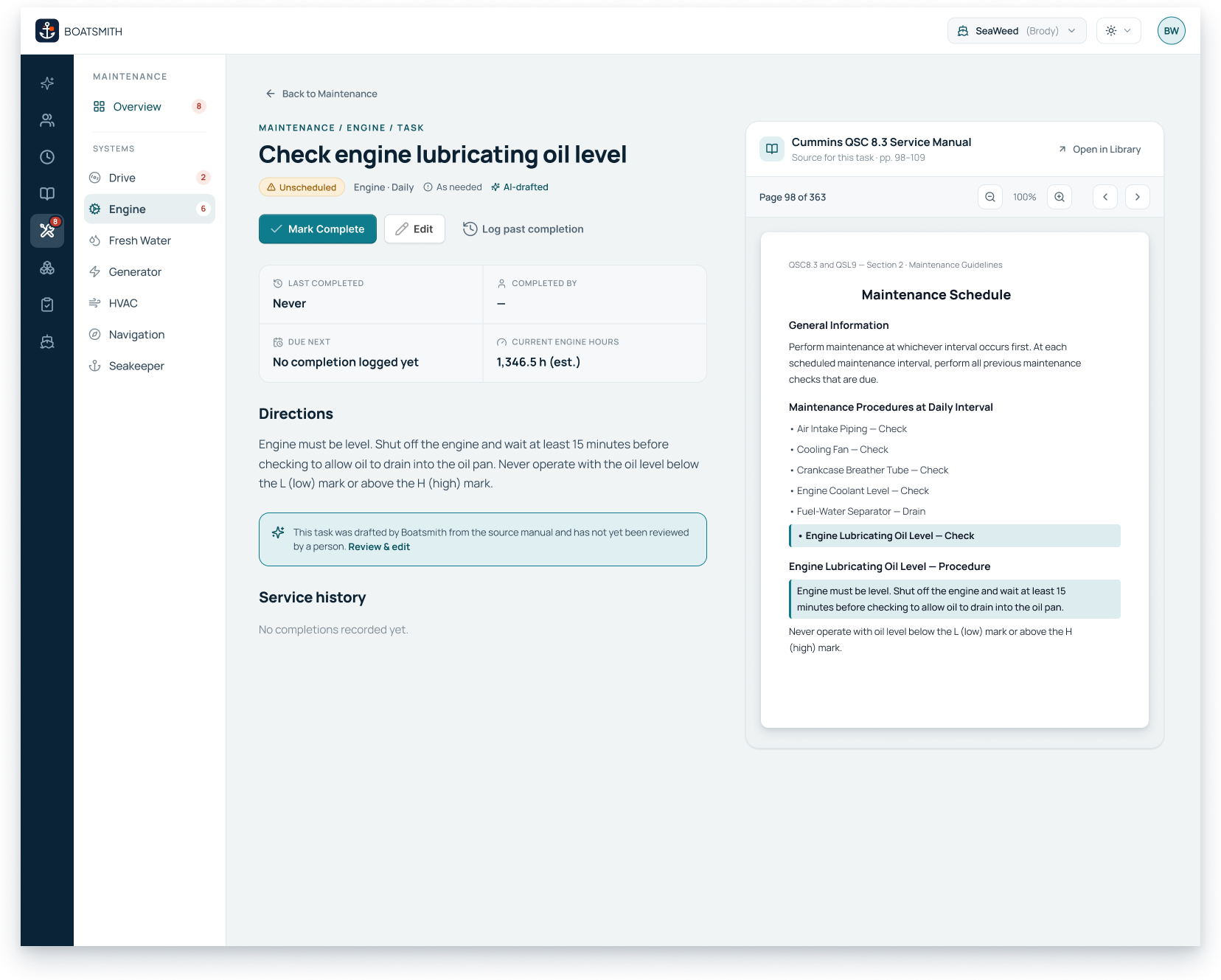
I brought the relevant manual pages directly into the task detail. The owner can see the task status, schedule, completion history, directions, and source page in one working context.
When a task has been drafted from an uploaded manual, the interface says so. It also makes the review state visible and gives the owner a path to review or edit the task.
That transparency matters because a generated maintenance suggestion is not automatically a trusted maintenance plan. The experience needs to preserve the source, show whether a person has reviewed the suggestion, and support correction when the interval or instructions do not fit the boat.
Outcome
Designing for action and accountability
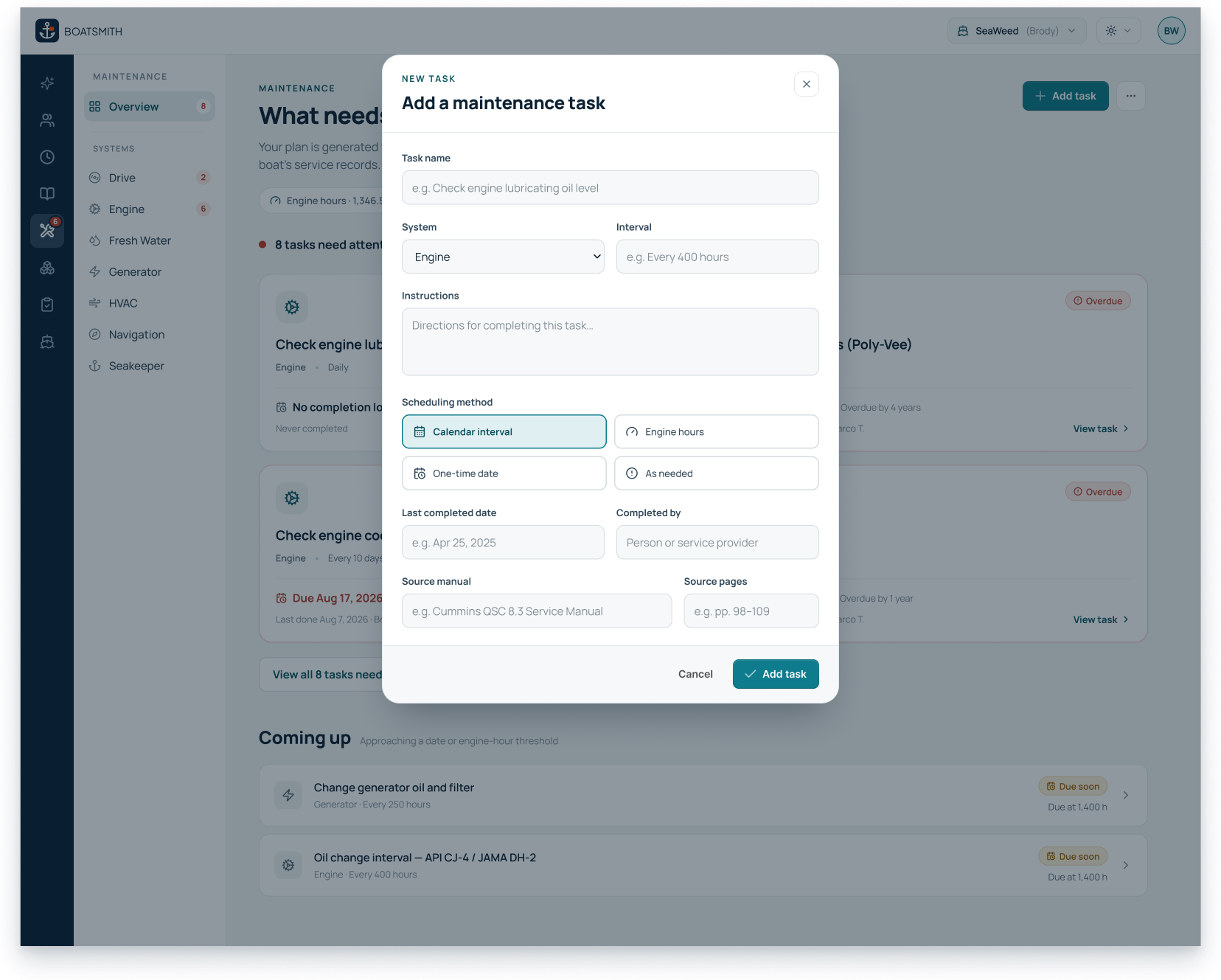
The redesigned experience supports marking work complete, logging a past completion, editing task details, seeing who performed earlier work, and reviewing service history. Owners can also add a task manually when the work does not originate from an uploaded manual.
These actions turn maintenance from a reference table into an ongoing operational record. The interface helps an owner understand what should happen, complete the work, and preserve enough context for the next person who returns to the task.